Thursday, December 11, 2025

DP25033 Book Specifications. V01 111225

 How to Choose the Right Trim Size and Paper for Your Book


If you’re self-publishing, trim size and paper choices aren’t just technical details—they shape how your book looks, feels, and even how much it costs to print and ship.

Here’s how to make the right choices:

---


**Trim Size Basics**

Trim size refers to the final dimensions of your book. The most common for trade paperbacks is 6” x 9”. That’s standard, but you can choose others depending on genre and audience.

- **5.5” x 8.5”** – Slightly smaller and more compact. Good for fiction.

 - **6” x 9”** – Standard for nonfiction, self-help, and memoir.

 - **8.5” x 11”** – Ideal for workbooks, planners, or illustrated books.

Your trim size affects page count and printing cost—smaller trim = more pages.

---


**Paper Options**

Amazon KDP and IngramSpark both offer a few key options:

- **White paper** – Best for nonfiction and text-heavy books. It looks crisp and professional.

 - **Cream paper** – A softer look, often used for novels and memoirs. Easier on the eyes.

 - **Color printing** – Required for full-color books like children’s books or workbooks, but much more expensive.

---


**Other Details That Matter**

- **Bleed vs. No Bleed** – Bleed allows your content or background to run to the edge of the page.

 - **Ink type** – Black & white vs. full color. Keep your expenses low unless color is necessary.

 - **Finish** – Matte or glossy cover? Matte feels modern; glossy is more vibrant.

---


**Action Step:** 

 Check similar books in your genre. What trim size and paper do they use? Choose what aligns with your content and your reader’s expectations.

Sunday, November 16, 2025

DP25032 Decline in Books V01 161125

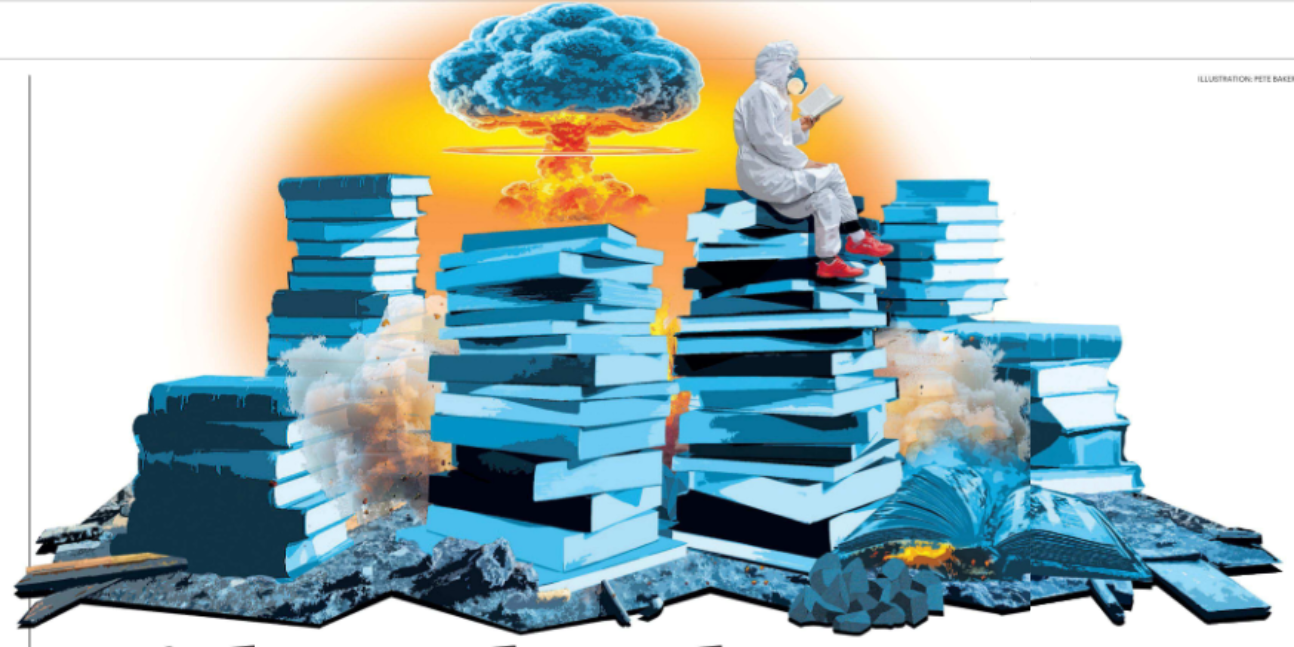
 Without books, we might go back to being barbarians

Western society seems to have forgotten why we moved on from cave paintings: reading has never been more vital in making sense of a complex world, argues Niall Ferguson

In Ray Bradbury’s best-known novel, the dystopian classic Fahrenheit 451, he combined the memory of Nazi book burnings with the experience of Joseph McCarthy’s “red scare” to imagine a future America where firemen are employed not to put out fires, but to start them in any home where illicit book reading is detected.

Bradbury naturally assumed that any society where books were generally prohibited would be a totalitarian one. The unnamed city he imagines in his 1953 novel is in many respects an American version of George Orwell’s London in Nineteen Eighty-Four. What makes it distinctively American is that the authoritarian regime is combined with a hedonistic consumer society very different from the austerity of Orwell’s dystopia.

Guy Montag, the central character of Fahrenheit 451, is a fireman married to mindless Millie, who flees serious thought or conversation with the assistance of sleeping pills, giant flat-screen televisions and what we would now call earbuds. Millie and Guy live under a government that is actively trying to deprive its people of the power to think by eradicating books, the vessels of knowledge.

What Bradbury failed to anticipate is that his native America — and indeed the western world — might turn away from literacy voluntarily, without the need for political tyranny.

The consumer society has turned out to be enough to make us turn away from books. And turn away fast.

The evidence has been accumulating for some time that we are no longer choosing to read. A study, based on the US government’s Time Use Survey of 236,000 Americans, found that the proportion of those who read for pleasure has fallen dramatically since the turn of the century. On an average day in 2004, 28 per cent of Americans would read; by 2023, that had fallen to 16 per cent.

According to a 2022 survey, 52 per cent of Americans hadn’t read a book in more than a year. Ten per cent hadn’t read a book in more than ten years.

This continues a long-running decline. The percentage of adults who read any literature not required for work or school fell from 57 per cent in 1982 to 43 per cent in 2015.

One in five Britons aged between 16 and 65 can read only at or below the level expected of a ten-year-old, according to a significant new study of literacy rates across the developed world by the Organisation for Economic Co-operation and Development (OECD).

But the real concern is the decline of reading among young people. In 2022 American baby boomers read more than twice as many books per year as millennials and Gen Zers. According to a 2025 study, only 14 per cent of 13-yearolds reported reading for fun almost every day in 2023, a dramatic fall from 30 per cent in 2004 and 37 per cent in 1992.

The story is the same in Britain. According to the National Literacy Trust, the percentage of children and young people who say they enjoy reading has fallen to its lowest level in 20 years. Just one in three Britons aged between eight and 18 enjoy reading in their free time — a 36 per cent decrease in reading since the survey began in 2005. The slump in reading enjoyment has been especially steep among boys aged 11 to 16.

I would be surprised if anyone engaged in the archaic activity of reading this essay were surprised by this data. Because the evidence is all around us.

On the train, the bus or the Tube in London, we see our fellow passengers hunched over their smartphones. In the past, at least some of them would have been clutching books. At home, we fight incessantly with our children over “screen time”, not least because we know it is taking the place of book time. We people of the book hail Jonathan Haidt’s bestseller, The Anxious Generation: How the Great Rewiring of Childhood Is Causing an Epidemic of Mental Illness. Our cure-all remedy for Generation Z’s multitude of mental ailments is to lock them all up in the London Library for a month.

But that’s not a feeling shared by many younger parents. According to a survey by the publisher, HarperCollins, fewer than half of parents of children up to 13 years old say reading aloud to their kids is “fun for me”. Gen Z parents tend to regard reading as “more a subject to learn” than a pleasurable activity.

It’s true, of course, that we are witnessing the rise of the audiobook. (In America, according to Publishers Weekly, revenue from audiobook sales grew by 22 per cent in 2022.) You can quibble about the relative merits of reading to oneself or having another person read a book aloud to you, but it seems clear that audiobooks are allowing us to consume books in ways that previously were impossible — while driving, jogging, biking, even cooking and doing the dishes.

But audiobooks won’t help with the fact that there’s a decline of literacy — the ability to read and write. When people stop reading, they stop being able to read. And I mean that, well, literally.

According to a CBI report in 2017, a third of UK businesses are not satisfied with young people’s literacy skills when they enter the workforce.

And when people stop being able to read — to make sense of the meaning of text on a page — they also lose the ability to make sense of the world.

At stake here is nothing less than the fate of humanity, given the intimate connection between the written word and civilisation itself. In the beginning was the word. And in the end? At first, the written word seemed to do remarkably well in the internet age. The World Wide Web was essentially a network for web pages largely composed of text, with a modest amount of illustrative art, linked together by text URLs. Google searches for text. Most Facebook posts were written. The same goes for most X posts.

Three things are now rapidly eroding the dominance of text. First, encouraged by the peculiar difficulty of the iPhone keyboard, there’s the rise of the emoji, which is in reality a return to the pictograph, a primitive pre-alphabetic form of written communication.

Then comes the ascendancy of audio and video, epitomised by the proliferation of podcasts and the rise of TikTok. The important change here is the death of the script. Until recently, nearly all entertainment on radio and television, and in the cinema, started out as written words. Only in the past decade has improvised chatter driven out carefully crafted lines of dialogue.

The emoji is a return to the pictograph — a primitive pre-alphabetic form of written communication 

Finally, though artificial intelligence remains largely text-based — because most prompts still have to be typed out — that is starting to change. Inputs are increasingly spoken ... we can just ask Siri. Which brings us to the next phase: outputs, too, are increasingly non-textual.

Think of the current effort by OpenAI to promote Sora 2 — which generates videos from text prompts — and is clearly seen as a potential money-spinner.

In short, we are moving rapidly toward a future where information will be shared via spoken words and images, not text, with computer code as the language spoken by computers to one another, intelligible only to a minority of humans.

Why did people find it necessary to go beyond cave paintings and pictographs? The answer is that a society of any commercial complexity cannot function on the basis of emojis.

Five millennia ago, cuneiform writing was first used in southern Mesopotamia as a means of keeping accounts. Property rights also required written records. The first codes of law appeared in Mesopotamia around 2100BC, exemplified in the Code of Hammurabi (about 1750BC), which was inscribed on stone stelae throughout the Old Babylonian Empire.

In other words, without text it is hard to keep track of and communicate the rules that are necessary in a society of any complexity. Literature came later and served a state-building purpose. The Epic of Gilgamesh is an early second-millennium work of epic poetry that glorified a Sumerian king. Scribes ran ancient Egypt for the pharaohs by strictly upholding written traditions — hence the old joke that Egypt was “nation of fellahin [peasants] ruled with a rod of iron by a Society of Antiquaries”. Again, without text, it is hard to keep track of the stories that convey a civilisation’s foundational myths to each successive generation.

Writing was also crucial in the history of monotheism. The Torah, comprising the first five books of the Hebrew Bible, codified the laws of ancient Israel. Not by chance, the Gospel of St John begins: “In the beginning was the Word, and the Word was with God, and the Word was God.” The spread of Islam in the 7th century brought about the rapid establishment of Arabic as a major literary language in much of the Mediterranean and Central Asia.

Without text, it is hard to keep track of the stories that help us understand our purpose in this world and our relationship to the divine.

Of course, for the first three and a half millennia that written language existed, all these stories could be tightly controlled by elites. That did not change until two transformative events in Europe: the advent and rapid proliferation of the printing press, beginning in the 1440s, and the Protestant Reformation, with its insistence that congregations as well as priests should be able to read scripture.

Cheap books and pamphlets were what enabled so many people to learn to read. Protestantism provided the motive to teach them to do so. This was what led to the spread of literacy. And it changed the world as profoundly as the later Industrial Revolution, which would have been impossible without workers who could read.

As literacy grew more widespread, so political participation could also become broader. Later, the abilities to read and write were spread beyond Europe by colonisation, commerce and, especially, by Protestant missionaries.

Literacy was not intended to enable people to think for themselves. But that was its effect. And that’s not all it did.

In a brilliant 1963 essay, “The Consequences of Literacy”, the anthropologist Jack Goody and the literary critic Ian Watt argued that the invention of writing, most decisively in ancient Athens, was a fundamental turning point. It was “only then that the sense of the human past as an objective reality was formally developed, a process in which the distinction between ‘myth’ and ‘history’ took on decisive importance”.

There emerged for the first time “the notion that the cultural inheritance as a whole is composed of two very different kinds of material; fiction, error, and superstition on the one hand; and on the other, elements of truth which can provide the basis for some more reliable and coherent explanation of the gods, the human past, and the physical world”.

When you read this, you see that our growing susceptibility to fake news and conspiracy theories are less a consequence of changes in mass media, and more a reflection of a fundamental civilisational crisis of literacy.

If we gradually cease to base our social and political organisation on the written word, it follows that there will be three consequences.

First, we shall quickly be cut off from the heritage of all the great civilisations, as books are the principal repository of past thought. Books are the principal way a civilised person learns about the distinction between noble and ignoble conduct, for example. This means that the next generation will have a significantly larger proportion of outright barbarians than any in the past century.

Second, we shall revert to the preliterary conflation of present and past, history and myth, individual and collective. The essence of the conspiracy theory is that it preys on the illiterate mind.

Third, we shall quickly lose the ability to think analytically, because the crucial way our civilisation has been transmitted from generation to generation is through the great writers, from whom we learn how to structure an argument so that it is clearly intelligible to others.

Bradbury’s Fahrenheit 451 offered a vision of a bookless, authoritarian future. But the more I think about where we’re going, the more I realise that the loss of literacy will amount to going back in time rather than forward.

This is an edited version of a piece that first appeared in the Free Press 

Wednesday, November 12, 2025

DP25031 What are Endpapers ? V01 121125

 Endpapers (also called endsheets) are the pages that join the inside of a book’s cover to the first and last pages of its text block.


They’re an important but often overlooked part of book design — both functional and aesthetic. Here’s how they work and why they matter:


📖 Structure


A hardcover book is made of:

Covers (the hard boards)

Text block (all the printed pages inside)

Endpapers — these are the sheets that attach the two together.


Each endpaper consists of two parts:

1. The pastedown — the half that’s glued to the inside of the cover.

2. The flyleaf (or free endpaper) — the half that’s left loose, right before (or after) the printed pages of the book.


So when you open a hardcover book, the first blank (or patterned) page you see is the front flyleaf, and the part glued to the cover is the front pastedown.


🎨 Design & Aesthetic Role


Originally, endpapers were plain white or cream paper — purely functional.

But in many books, especially beautifully produced or collectible editions, endpapers are decorated or patterned.

They might feature marbled paper, maps, illustrations, or printed motifs.

In the case of Persephone Books, each title has a unique endpaper design taken from a textile or wallpaper pattern from the era when the book was first published. This visually connects the book to its historical and cultural context.


🧵 Why They Matter

Structural: They hold the text block and cover together — essential for durability.

Aesthetic: They create the first impression when you open a book.

Historical: Patterns or designs often reflect the period or mood of the story.

Collectible appeal: Unique or beautiful endpapers make a book feel special and worth owning physically.


If you’d like, I can show you a few examples of famous endpaper designs (like from Persephone Books, Penguin Clothbound Classics, or Folio Society editions) — would you like me to?

DP25030 Persephone Books - Bath V01 121125

 Persephone Books


Persephone Books

Web

Address: 8, Edgar Buildings, Bath BA1 2EE, United Kingdom

Phone: +441225425050


Here’s a detailed look at Persephone Books in Bath—what it is, why it’s special, and what you might enjoy if you visit.


What & Where

Persephone Books is both an independent publisher and a bookshop, based at 8 Edgar Buildings, Bath BA1 2EE. 

The shop is in a Grade II listed building built around 1761; its basement still retains features from that era (like an original fireplace, bread oven, York flagstones). 

Opening hours (as of their website): Monday – Friday 10:00-18:00; Saturday 11:00-17:00. 


What Makes Them Unique

Persephone publishes and sells books that are mostly neglected fiction and non-fiction, primarily by women writers from the mid-20th century. 

Each book in their numbered collection features a distinctive format: a grey jacket, patterned end-papers inspired by the era of first publication, and a matching bookmark. 

The shop doesn’t just sell books: it hosts book groups, small events, and offers a calm, curated environment. 


Why It’s Worth Visiting

For book lovers: If you’re intrigued by lesser-known authors (especially women) and want to discover “hidden gems” rather than mainstream bestsellers, this is a great place.

For the ambience: The historic building, elegant book design, thoughtful presentation and gentle atmosphere make it more than just a commercial bookshop. 

For the set-up: Because the shop is directly tied to the publisher, you’ll find the full catalogue and perhaps deeper knowledge from staff about each title.

For a visit in Bath: Located in a city that’s already rich in literary heritage, the shop adds on nicely to a walk around Bath with a visit to a special independent store.


Practical Tips if You Go

It’s a small-scale shop, so give yourself a bit of time to browse slowly rather than rushing.

Check their book groups: for example, they hold an Evening Book Group (2nd Wednesday of the month at 18:00) and a Morning Book Group (3rd Thursday at 10:30) at the shop. 

If you’re buying one of their grey-jacket titles: part of the appeal is the design (end-papers, etc), so take the time to look beyond the jacket.

If you can’t visit in person: their website offers full catalogue and mail-order. 

If you’re planning a trip to Bath: the shop is centrally located, so you could combine it with other literary or architectural sightseeing.


If you like, I can check the latest books they’ve published, or find special events happening at the Bath shop soon. Would you like me to?


Friday, October 31, 2025

DO25029 Scanning 35mm film strips. V01 311025

 Great question — digitizing 35 mm negatives is one of those projects where automation can save a lot of time and produce much more consistent results than doing each frame manually. Let’s go through how you can automate scanning 35 mm negative strips into digital files, from low-cost DIY setups to semi-professional workflows.


🧩 Overview: What’s Involved


To automate scanning negatives, you need to automate three tasks:

1. Feeding and positioning the negative strip.

2. Capturing the image (either via a scanner or a camera).

3. Processing and inverting the raw scans into positive images.


🔧 Option 1: Dedicated Film Scanner with Batch/Strip Feeder


🏷️ Examples

Nikon Coolscan 5000 ED + SF-210 or SF-200 strip feeder

Plustek OpticFilm 135i (semi-automated feed)

Pacific Image PrimeFilm XA (auto-feed for strips and slides)


⚙️ Automation

These scanners automatically feed 6-frame strips, scan each frame, and save files.

Software like VueScan or SilverFast allows:

Batch scanning all frames automatically.

Automatic naming (Film_YYYYMMDD_Frame01.tif etc.).

Automatic inversion for color negatives (with film profiles).


✅ Pros

Excellent quality (4000 DPI+)

Fully automated scanning + saving.

Handles color correction and dust removal (Digital ICE).


❌ Cons

Expensive ($800–$2500 used)

Slower per frame than a camera setup.

Hardware availability can be limited.


📸 Option 2: DSLR/Mirrorless Camera + Automated Film Transport


If you already have a good camera, this route offers speed + flexibility.


🧱 Components

DSLR/mirrorless camera with macro lens (e.g., 1:1 magnification).

Light source: LED light pad (CRI > 95, uniform light).

Film holder: Essential for flatness (e.g., Negative Supply, Valoi, Essential Film Holder).

Motorized film transport system (optional but ideal for automation):

Negative Supply Film Carrier MK2 + Motor Module

Valoi Advancer + stepper motor DIY mod

Arduino/ESP32 film transport controller for DIY builds.


🧠 Automation Workflow

1. Use a motorized film advancer to move the strip one frame at a time.

2. Use tethered shooting software:

DSLR Remote Pro, Capture One, or Smart Shooter for automatic capture + file naming.

Trigger next-frame advance via Arduino or USB relay after each capture.

3. Post-process automatically:

Use Negative Lab Pro (Lightroom plugin) or FilmLab to batch-invert and color correct negatives.


✅ Pros

Extremely fast (1–2 sec per frame).

Can be fully automated with code + stepper motor.

Produces 4K–8K equivalent digital scans.


❌ Cons

Requires DIY setup or expensive automation hardware.

Need to calibrate exposure and white balance carefully.


🧰 Option 3: DIY Full Automation with Raspberry Pi or Arduino


If you like to build your own system:


Hardware

Raspberry Pi + Camera Module or DSLR (controlled via USB).

Stepper motor + 3D-printed film holder + rollers.

LED backlight.

Micro switch for frame detection or image-based alignment (OpenCV).


Software

Python + gPhoto2 for camera control.

Stepper motor control via GPIO pins.

OpenCV to detect frame boundaries automatically.

Optional: Batch processing scripts for inversion and color correction.


This can get very close to a commercial scanner in automation if tuned well.


🖼️ Post-Processing Automation


Once you have your negatives digitized:

Auto inversion:

Negative Lab Pro (Lightroom)

FilmLab

ColorPerfect (Photoshop plugin)

Python + OpenCV script for DIY inversion

Auto cropping & frame detection:

OpenCV or ImageMagick batch scripts.


⚙️ Recommended Automation Stack (Mid-Budget, High Quality)


Component Recommendation

Camera Any 24 MP+ mirrorless or DSLR

Lens 60–100 mm macro

Light source LED panel (CRI ≥ 95)

Film holder Valoi 35mm + Advancer

Automation Arduino + stepper motor

Software Smart Shooter (trigger), Lightroom + Negative Lab Pro

Processing Batch export to TIFF/JPEG


If you tell me:

your budget,

whether you already own a camera, and

how many rolls you want to digitize,


…I can recommend an exact setup (ready-to-buy components or a DIY parts list with wiring diagram and scripts).


Would you like me to outline a DIY automated film scanning rig (with Arduino + camera) or focus on commercial semi-automated scanners?